PRODUCT DESIGN • MOBILE UI/UX • RAPID PROTOTYPING

OVERVIEW
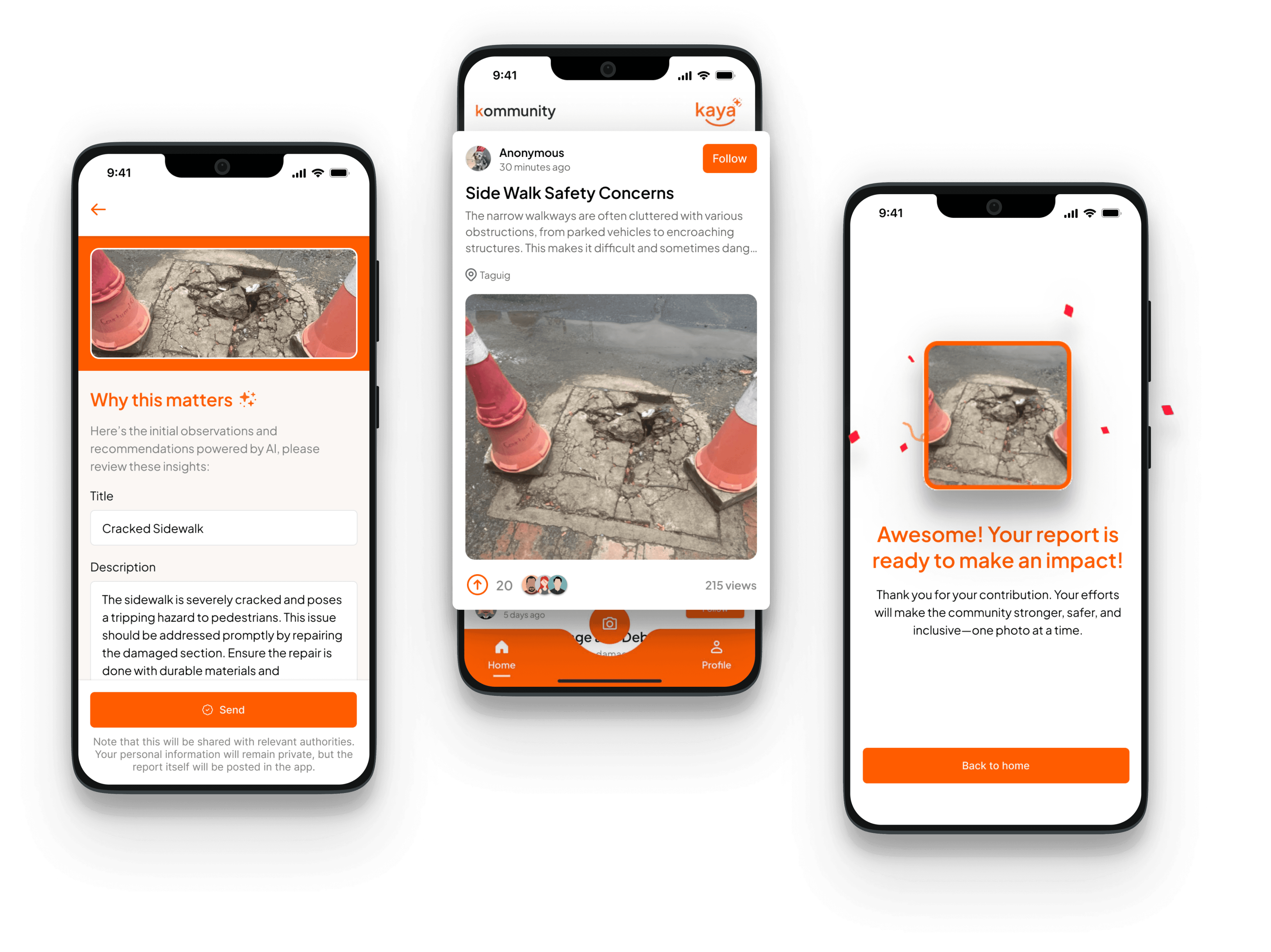
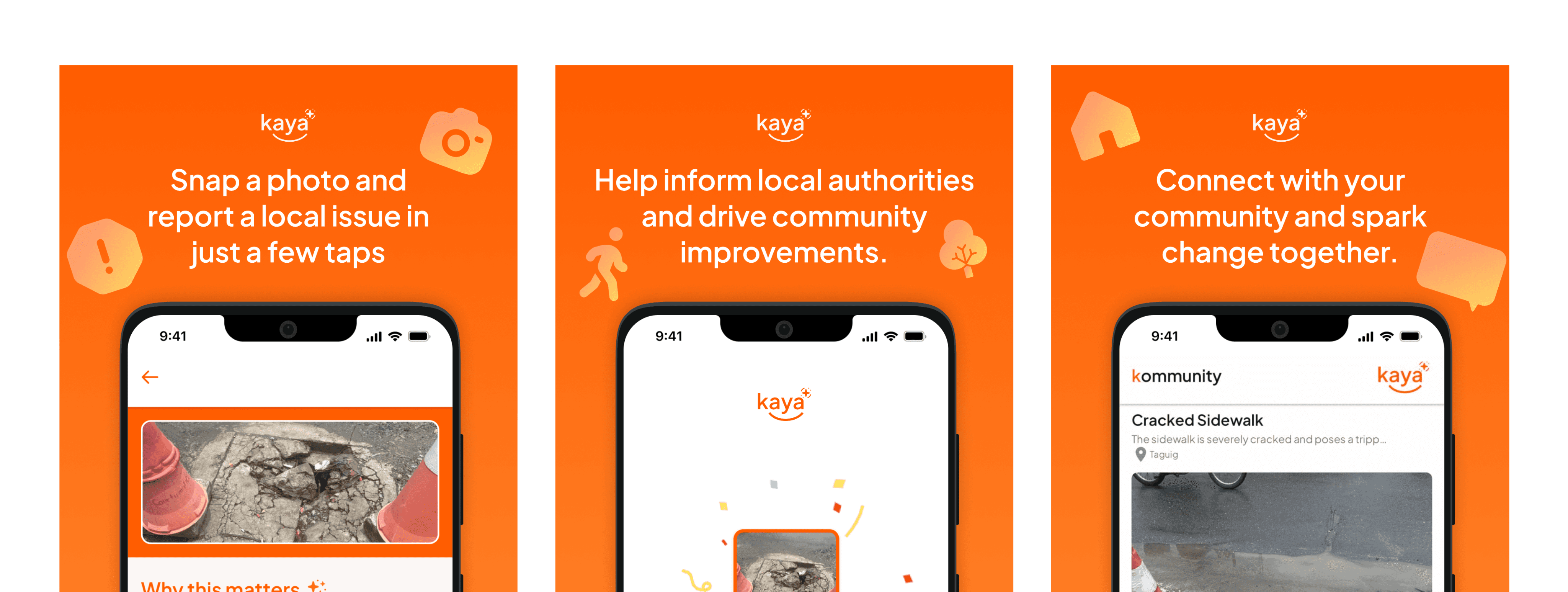
Kaya is an AI-powered civic reporting app that enables citizens to report urban infrastructure issues to local authorities in three steps. Built during a FlutterFlow "AI for Good Hackathon", I conceptualized the idea and served as designer on a 4-person team, creating a camera-first prototype that won Audience Favorite and launched on the Play Store.
TIMELINE
July 2024 (~24 hours)
ROLE
UI/UX Designer & Concept Lead
TOOLS
Figma, FlutterFlow
THE GOAL
Reimagining civic reporting
This project was developed for the FlutterFlow AI for Good hackathon, focused on making citizen complaints more visible and actionable. Before this, people would share issues like potholes or broken streetlights through social media, tagging others who might help. The process was fragmented and relied on users to remember details and follow up manually.
We repositioned the app around the camera as the primary input, letting photos and AI do the descriptive work. Reports are then posted to a community feed, where others can view nearby issues and have them submitted to local government units.
DESIGN APPROACH
From photos to community impact
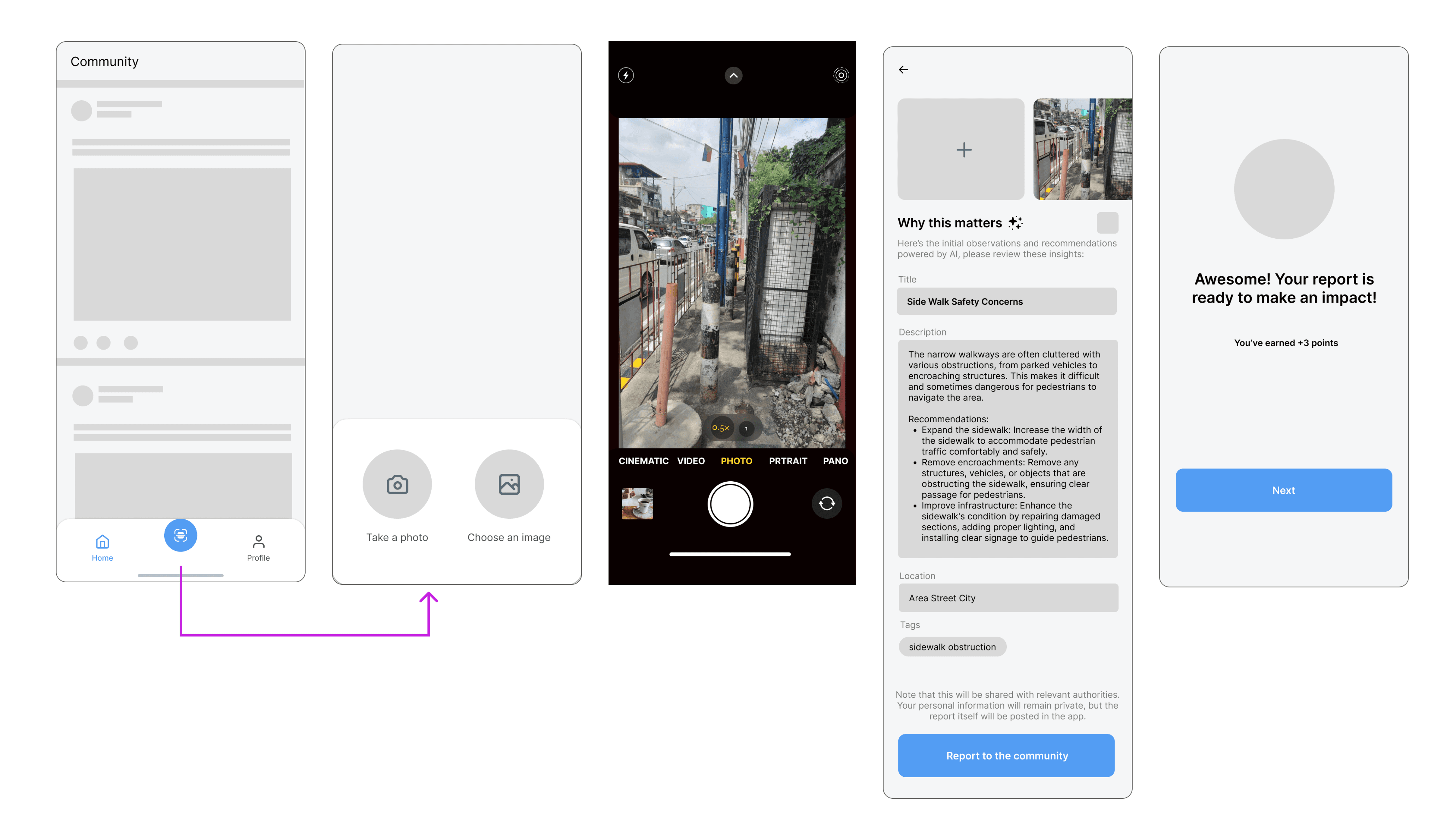
I started with a competitive analysis of existing platforms and explored communities to understand how people share and engage with content. These insights informed wireframes and the user flow.
Initial wireframes:
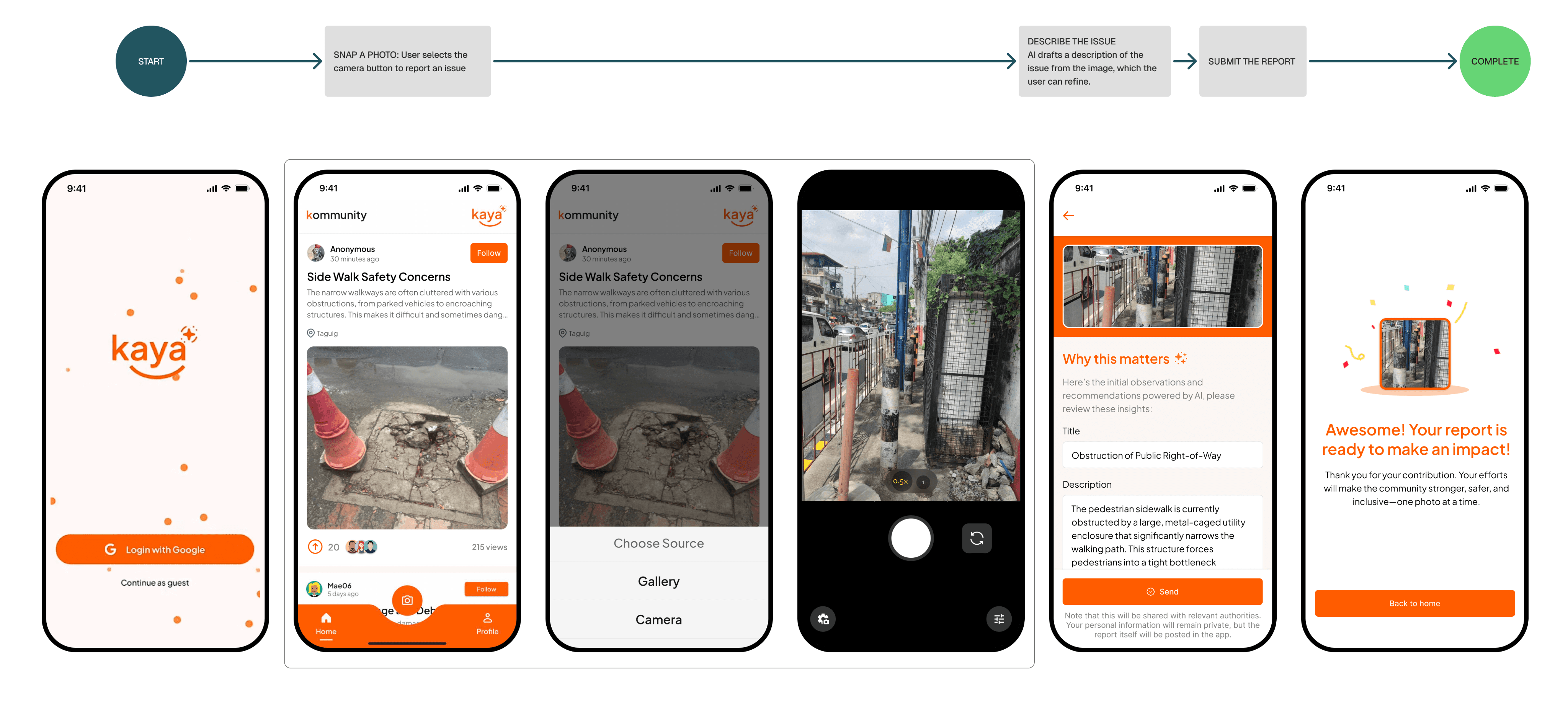
I created high-fidelity designs with a bright orange palette and clear visual hierarchy to make the interface approachable and community-focused. I implemented the frontend in FlutterFlow while the backend team worked in parallel. Some features were simplified due to technical and timeline constraints, but the core mobile-first experience was maintained.
Working with the team, I helped shape the core flow by identifying which features were essential and which could be cut due to timeline constraints. The result is a straightforward three-step process:
Capture or upload photo of the issue
AI generates report description from the image
Submit to community feed (with potential routing to local authorities)
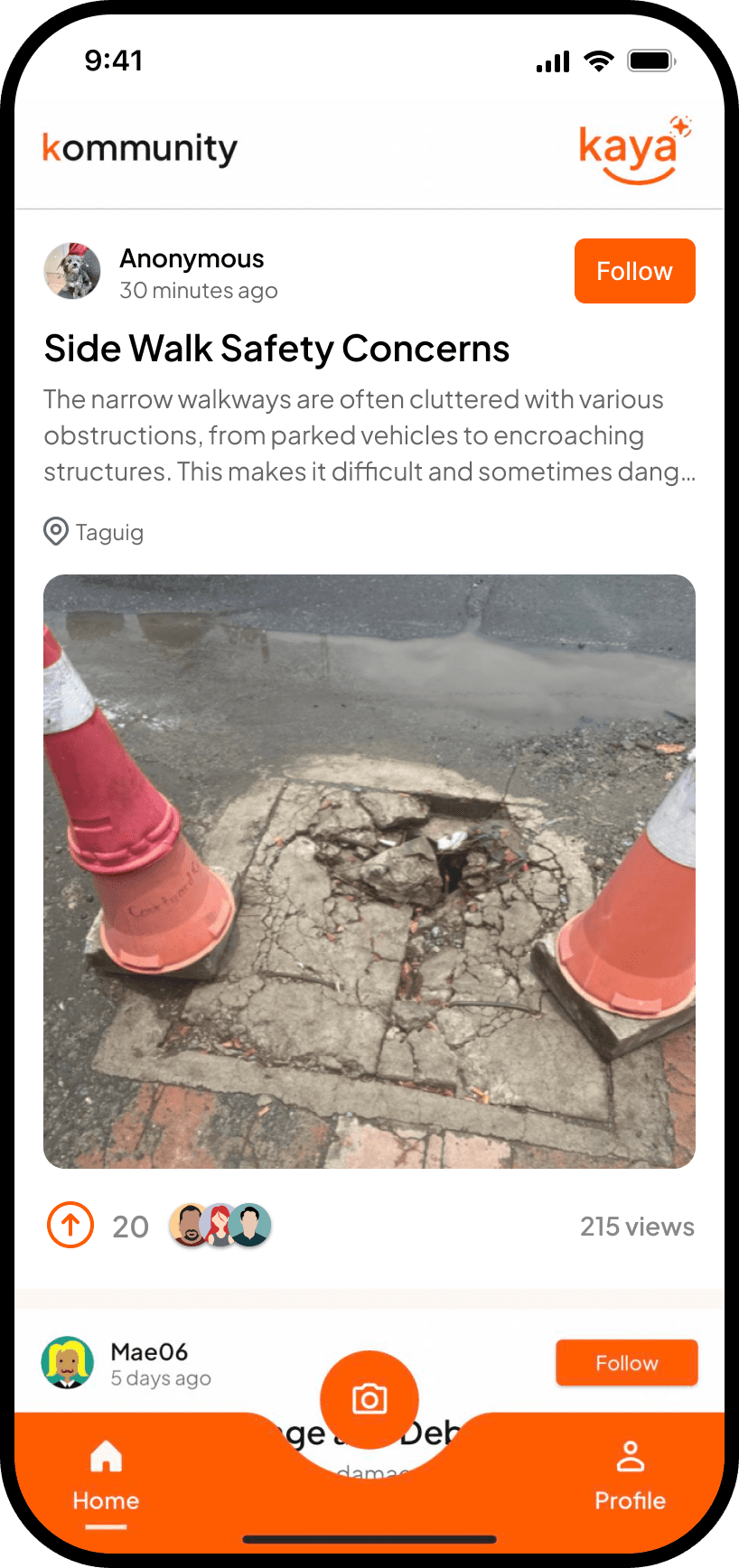
After submitting a report, users can view a feed of nearby issues reported by others, with potential routing to local authorities. The feed emphasizes photos and is designed to make engagement simple. Key features include:
Photo-prominently displayed in feed cards
Upvoting capability
View counts and days-since-posted timestamps
Real-time status updates
Google Authentication and anonymous posting
DESIGN CONSIDERATIONS
Building under constraints
The project was completed within a 24-hour hackathon, which required clear prioritization and parallel workflows. The team divided responsibilities: the backend was built by the dev team while I focused on the UI in FlutterFlow, allowing simultaneous progress.
THE OUTCOME
Making reporting simple and social
In just 24 hours, the team delivered a fully functional app that made reporting issues simple, immediate, and social.
Deployed the app to the Google Play Store
Won Audience Favorite Award at the FlutterFlow hackathon
Enabled a mobile-first, camera-first reporting experience
Created a community-visible feed that turns individual reports into collective action
KEY TAKEAWAYS
Designing for real-world challenges
Despite focusing on the core flow, several challenges remained, including the lack of a spam prevention or report verification system, no admin dashboard for municipal partners, only partial handling of duplicate reports through upvoting, and status updates that assumed government responsiveness which might not exist. These issues remain as opportunities for improvement in future development phases.
Even though an app can make reporting easier and more social, it cannot by itself solve systemic challenges like government workflows, accountability, or institutional responsiveness. Addressing those requires ongoing research, partnerships, and iteration beyond a short timeline.
UP NEXT
Sikad — Optimized navigation for cyclists
Concept Design • Mobile UI/UX • Branding
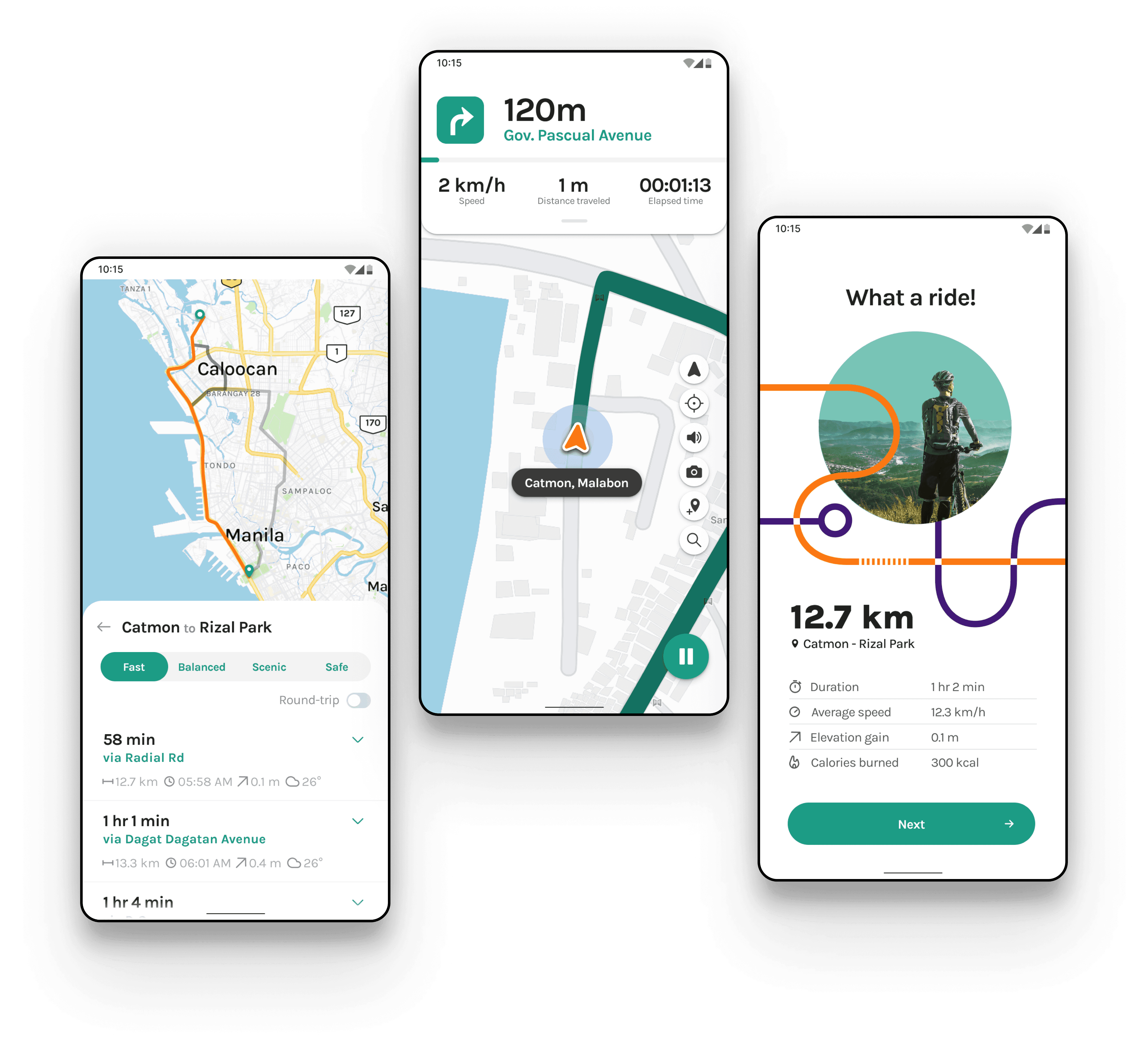
Designed "Sikad" to help cyclists discover personalized routes and navigate with confidence.

Flying Tigers Express — Revamped booking platform for interisland delivery
Mobile-First • Service Design
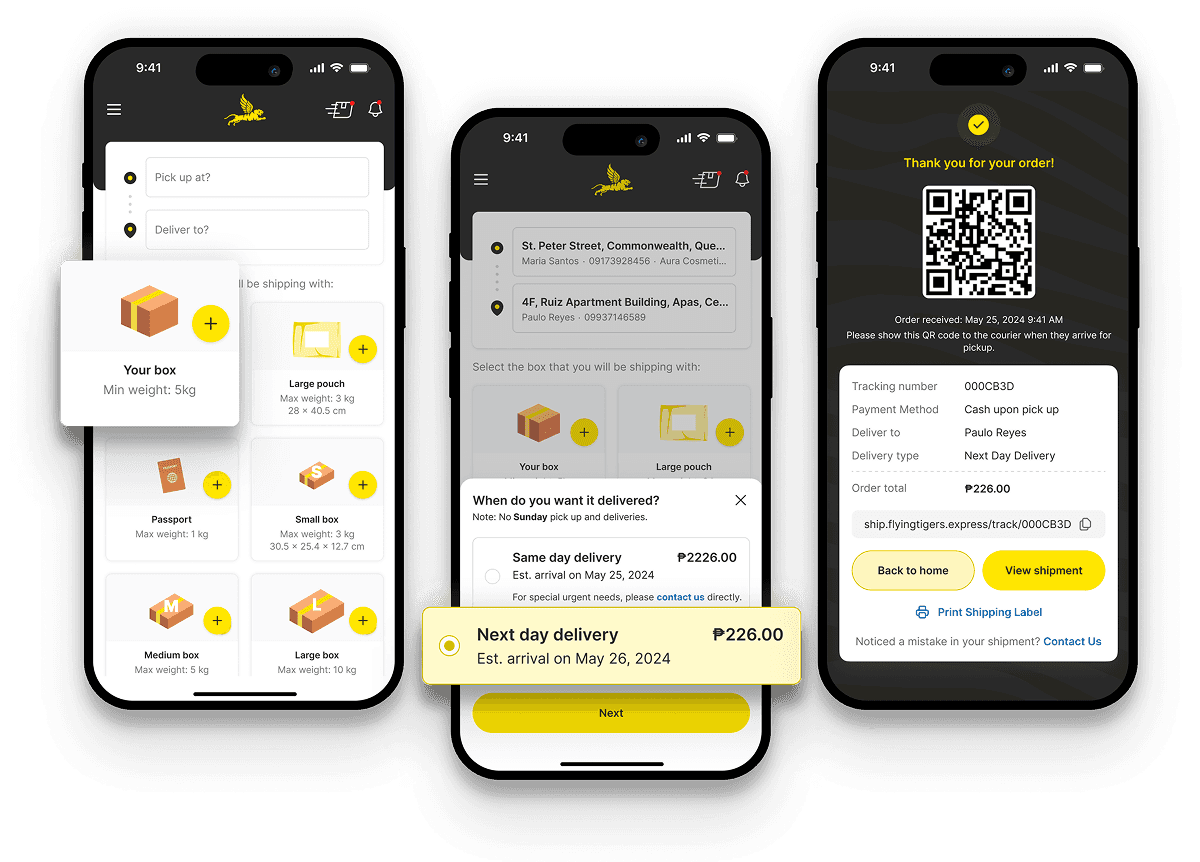
Redesigned the end-to-end logistics experience, from customer booking to rider operations, streamlining workflows and reducing booking friction, resulting in a 200% increase in deliveries within three months of launch.